

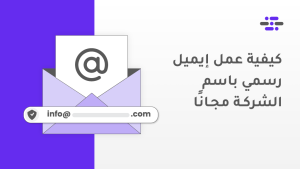
Business Email: How to Create and Manage a Professional Domain EmailA professional business email is an important part of your company’s digital identity. Instead of communicating with customers through a generic email address, you can use an email address that includes your own domain name, such as [email protected].
A domain-based business email helps organize company communication, establish a consistent brand identity, and manage employee accounts more effectively. It also gives your business greater control over its email accounts and communication policies.
However, creating a professional email address involves more than choosing a username. You need a registered domain, a suitable email hosting provider, correct DNS configuration, and appropriate security settings.
In this guide, Media Serves explains how to create a business email using your domain, compare email hosting options, configure essential authentication records, protect employee accounts, and manage company email professionally.
What Is a Professional Business Email?
A business email is an email address that uses your company’s domain name instead of a general email provider’s domain.
For example, if your company owns yourcompany.com, you can create addresses such as:
[email protected]– General enquiries.[email protected]– Sales and quotations.[email protected]– Customer support.[email protected]– Financial communication.[email protected]– Human resources.[email protected]– Management communication.
These addresses can be assigned to individual employees or departments, depending on the email platform and your company’s requirements.
A professional email system typically includes a domain name, an email hosting service, DNS records, user accounts, and administrative controls.
Why Does Your Company Need a Domain-Based Email?
Using an email address connected to your business domain offers several practical advantages.
1. Build a Consistent Brand Identity
When customers receive messages from an address that includes your company domain, they can more easily recognize the business behind the communication.
Using the same domain across your website, email signatures, and business communications also creates a consistent brand experience.
2. Improve Communication With Customers
A dedicated business email address makes it easier to organize enquiries and direct messages to the appropriate department.
For example, sales requests can go to the sales team, while technical questions can reach customer support.
3. Manage Employee Accounts
A company email system gives administrators greater control over employee accounts.
When a new employee joins, you can create an account with the required permissions. When someone leaves, you can suspend access, transfer important messages, and manage the account according to company policy.
4. Organize Internal Communication
Instead of relying on personal email addresses, employees can communicate through a company-managed system.
Depending on the provider, you may also have access to shared calendars, contacts, file storage, and collaboration tools.
5. Support Business Growth
As your company grows, you may need more email accounts, additional storage, shared mailboxes, and stronger administrative controls.
A domain-based email system makes it easier to organize these requirements under your company’s identity.
Business Email vs. Free Email: What Is the Difference?
Free email services can be useful for personal communication and early-stage projects. However, companies often need more control over their email identity and administration.
| Feature | Free Email | Business Email |
|---|---|---|
| Email domain | Provider’s domain | Your company domain |
| Brand identity | Limited customization | Uses your business name |
| Employee management | Depends on the service | Business administration tools |
| Department addresses | Limited options | Can support role-based addresses |
| Administrative control | Varies by provider | Depends on the selected plan |
| Storage | Depends on the free plan | Depends on the subscription |
| Business collaboration | Varies | Often includes business tools |
A business email is not automatically more secure than every free email service. Security depends on the provider, configuration, account protection, and how the system is managed.
The main advantage is having an email identity connected to a domain your company controls.
What Do You Need Before Creating a Business Email?
Before setting up company email, prepare the following:
A Registered Domain Name
You need a domain such as yourcompany.com.
If you have not registered a domain yet, choose a name that reflects your business, is easy to remember, and is available for registration.
You can read our guide on How to Choose a Domain Name: 10 Tips for a Strong Online Brand.
An Email Hosting Provider
Your domain name does not automatically provide a complete email service. You need a provider that can host your mailboxes and manage incoming and outgoing messages.
Some website hosting packages include email accounts, while other providers offer dedicated business email platforms.
Access to DNS Management
You need permission to manage your domain’s DNS records.
This may be available through your domain registrar, hosting control panel, or DNS provider.
A List of Required Email Accounts
Plan which addresses your company needs.
For example, a small company may start with info, sales, and support, while a larger organization may require individual employee accounts and shared department mailboxes.
What Are the Main Types of Business Email Services?
There are several ways to operate professional email using your domain. The right option depends on your budget, number of users, storage requirements, and collaboration needs.
1. Email Included With Website Hosting
Some web hosting providers include email accounts as part of their hosting packages.
You may be able to create addresses through a control panel such as cPanel, depending on your hosting plan.
Advantages:
- Email and website hosting can be managed through one provider.
- Suitable for businesses with basic email requirements.
- May be included in certain hosting packages.
- Convenient for managing a small number of accounts.
Considerations:
- Mailbox storage may be limited.
- Sending limits may apply.
- Collaboration features may be limited.
- Email reliability and support depend on the hosting provider.
This option can be suitable for small businesses that need basic domain email without advanced collaboration tools.
2. Cloud-Based Business Email
Cloud email services provide hosted mailboxes and additional business features.
Popular options include:
Google Workspace
Google Workspace allows businesses to use Gmail with their own domain and provides additional services such as Google Drive, Google Calendar, and Google Meet, depending on the selected plan.
Official website: Google Workspace.
Microsoft 365
Microsoft 365 provides business email through Exchange Online, with integration options for Outlook and other Microsoft services depending on the subscription.
Official website: Microsoft 365 for Business.
These platforms may be suitable for companies that need business email alongside productivity and collaboration tools.
3. Dedicated Email Hosting
Some providers specialize in hosting business email separately from website hosting.
This can be useful when a company wants to manage its website and email through different providers or needs specific email administration features.
Before choosing a dedicated email provider, compare mailbox storage, user limits, sending policies, security features, migration support, and technical assistance.
How to Create a Professional Business Email Using Your Domain
Once you have a registered domain and selected an email provider, you can begin the setup process.
The exact instructions vary by provider, but the following steps explain the general procedure.
Step 1: Register or Use Your Existing Domain
Choose a domain that represents your company.
For example:
company.comcompany.netcompany.org
If you already have a business website, you can normally use the same domain for your email addresses.
Make sure your company controls the domain registration and renewal process. Losing access to your domain can affect both your website and your email service.
Step 2: Choose an Email Hosting Provider
Compare available providers according to your business requirements.
Consider:
- Number of email accounts.
- Mailbox storage.
- Sending and receiving limits.
- Security and authentication features.
- Administrative controls.
- Mobile and desktop compatibility.
- Customer support.
- Migration options.
- Total subscription cost.
Do not choose a provider based only on its introductory price. Consider the features and resources your business may need as it grows.
Step 3: Verify Your Domain Ownership
Most business email platforms require you to verify that you control the domain.
This is commonly done by adding a TXT record to your domain’s DNS settings.
The provider supplies the exact record value. Add it through your DNS management panel and complete the verification process.
Step 4: Configure MX Records
MX records, or Mail Exchange records, tell other mail servers where to deliver messages addressed to your domain.
Your email provider will supply the required MX record values.
Add the records exactly as instructed and check their priority settings. Incorrect MX records can prevent your company from receiving email.
If you are moving from an existing email provider, plan the change carefully to avoid interrupting incoming messages.
Step 5: Configure SPF, DKIM, and DMARC
Email authentication is an essential part of professional email management.
Three important DNS mechanisms help receiving mail systems verify messages sent using your domain.
SPF – Sender Policy Framework
SPF identifies the mail servers authorized to send messages on behalf of your domain.
It helps receiving systems evaluate whether a message comes from an authorized sending source.
DKIM – DomainKeys Identified Mail
DKIM adds a digital signature to outgoing messages. Receiving servers can use this signature to verify that the message was authorized by the signing domain and that signed content has not been altered in transit.
DMARC – Domain-based Message Authentication, Reporting, and Conformance
DMARC allows domain owners to specify how receiving systems should handle messages that fail authentication checks. It can also provide reports that help identify unauthorized use of the domain.
These records must be configured according to your provider’s instructions.
Do not copy DNS values from another company’s configuration. Each email service may require different settings.
If your business sends email through several platforms, such as its main mailbox service and a marketing platform, include all legitimate sending sources in your authentication plan.
For technical guidance, consult the official documentation from your email provider.
Step 6: Create Company Email Accounts
After completing the domain and DNS configuration, create the accounts required by your business.
A basic structure might look like this:
| Department | Suggested Address |
|---|---|
| General enquiries | [email protected] |
| Sales | [email protected] |
| Customer support | [email protected] |
| Human resources | [email protected] |
| Accounting | [email protected] |
| Management | [email protected] |
You can also create individual employee accounts, such as [email protected].
The available account types and number of mailboxes depend on your selected provider and subscription.
Step 7: Test Sending and Receiving
Before using the new email system for important business communication, perform practical tests.
Check that:
- Each account can send messages.
- Incoming messages reach the correct mailbox.
- Messages arrive at external email providers.
- The sender name appears correctly.
- Email signatures display properly.
- Messages are not unnecessarily classified as spam.
- Mobile and desktop access works as expected.
You can also use reputable email testing tools to review DNS authentication and message delivery configuration.
How to Manage Business Email Professionally
Creating email accounts is only the beginning. A well-managed email system requires clear policies and consistent administration.
Use Clear Email Naming Conventions
Choose a consistent format for employee addresses.
For example:
A consistent naming system makes accounts easier to identify and manage.
Create Professional Email Signatures
A company email signature should include relevant information, such as:
- Employee name.
- Job title.
- Company name.
- Business website.
- Official phone number.
- Approved company logo, where appropriate.
Keep signatures consistent across the organization and avoid excessive promotional content.
Organize Shared Department Mailboxes
Some departments receive messages that need to be handled by more than one employee.
A shared mailbox or an appropriate group-based email solution can help teams manage enquiries without sharing one employee’s personal login credentials.
For example, a customer support team may use a shared support address with controlled access for authorized employees.
Establish Email Management Policies
Create simple company rules covering:
- Appropriate business email usage.
- Account access and password management.
- Handling customer information.
- Sending attachments.
- Email retention.
- Employee account removal.
- Reporting suspicious messages.
Clear policies help reduce confusion and support consistent communication.
Review Accounts Regularly
Check which employees still need access to each mailbox.
When an employee leaves, follow a controlled process to disable access, preserve required business records, and transfer important responsibilities.
How to Protect Your Company’s Business Email
Business email accounts can contain sensitive information, including customer enquiries, quotations, invoices, contracts, and internal discussions.
Security should therefore be part of your email management process.
Enable Multi-Factor Authentication
Multi-factor authentication (MFA) adds another verification step when users sign in.
It helps reduce the risk of unauthorized access if a password is stolen or exposed.
Enable MFA for administrators and employee accounts wherever the provider supports it.
Use Strong, Unique Passwords
Avoid simple or reused passwords.
Use a unique password for every account and consider a reputable password manager to generate and store credentials securely.
Watch for Phishing Emails
Phishing messages may appear to come from banks, suppliers, customers, or company managers.
Be careful with messages that:
- Request urgent payments.
- Ask you to reveal passwords.
- Include unexpected attachments.
- Direct you to unfamiliar login pages.
- Ask you to change bank account details.
Verify sensitive requests through a separate trusted communication channel.
Restrict Administrative Permissions
Not every employee needs access to email administration, domain settings, or security policies.
Limit administrative privileges to authorized personnel and review access regularly.
Monitor Suspicious Login Activity
Use the security and activity reports provided by your email platform.
Investigate unfamiliar login locations, unexpected password changes, and unusual sending activity.
Keep Recovery Information Updated
Maintain accurate recovery email addresses, phone numbers, and administrator contact information.
Protect recovery methods because attackers may attempt to use them to regain access to compromised accounts.
Why Are Business Emails Going to Spam?
One common problem after setting up a domain-based email service is that messages may reach recipients’ spam folders.
There is no single cause, but several factors can contribute.
Incorrect Email Authentication
Missing or incorrectly configured SPF, DKIM, or DMARC records can make it harder for receiving systems to verify messages.
Review the records with your email provider and confirm that they match your actual sending services.
Poor Domain or Sending Reputation
A domain that sends large volumes of unwanted messages may develop a poor sending reputation.
Send messages only to appropriate recipients and follow applicable email marketing and anti-spam requirements.
Unusual Sending Patterns
Sudden increases in sending volume or repeated messages to invalid addresses may trigger additional filtering.
Use appropriate business email platforms and follow their sending limits and policies.
Misleading Message Content
Deceptive subject lines, suspicious links, and unexpected attachments can reduce message trust.
Make sure your messages are relevant, transparent, and expected by recipients.
How to Choose the Right Business Email Provider
The best email provider depends on how your company works and what it needs.
Use the following criteria when comparing services.
Number of users: Check how many accounts your business needs now and may require in the future.
Mailbox storage: Estimate the storage required for messages and attachments.
Security: Review MFA, spam protection, account recovery, administrative controls, and authentication support.
Collaboration tools: Determine whether your employees need shared calendars, cloud storage, online meetings, and document collaboration.
Technical support: Check how the provider handles delivery problems, DNS configuration, and account recovery.
Migration support: If you already use another provider, check whether messages, contacts, and calendars can be transferred.
Total cost: Compare recurring subscription costs, user limits, storage upgrades, and additional services.
A small business that needs only a few mailboxes may have different requirements from an organization that relies on advanced collaboration tools.
Can You Move Your Business Email to Another Provider?
Yes. You can usually change your email hosting provider without changing your company domain.
However, migration should be planned carefully to prevent lost messages or service interruptions.
A typical migration process includes:
- List all existing email accounts.
- Identify important messages, contacts, and calendars.
- Select the new email provider.
- Create the required accounts.
- Transfer existing email data using supported migration tools.
- Configure the new provider’s DNS records.
- Test sending and receiving.
- Confirm that employees can access their new mailboxes.
- Keep the previous service available until the migration is verified.
Do not cancel the old email service before confirming that important data has been transferred and the new service is working correctly.
Common Business Email Mistakes to Avoid
Some mistakes can affect email delivery, security, and company communication.
Avoid the following:
- Using personal email accounts for important company communication.
- Sharing one password among multiple employees.
- Forgetting to renew the domain.
- Ignoring SPF, DKIM, and DMARC configuration.
- Giving every employee administrator permissions.
- Sending large volumes of unsolicited messages.
- Failing to remove access when an employee leaves.
- Changing MX records without preparing the new email service.
- Ignoring unusual login notifications.
- Choosing a provider without checking storage, support, and sending limits.
A simple management policy can prevent many of these problems.
Frequently Asked Questions About Business Email
What is a professional business email?
A professional business email is an address that uses your company’s domain, such as [email protected], instead of a general email provider’s domain.
Do I need a website to create a business email?
No. You do not necessarily need a published website, but you do need a registered domain and an email hosting service that supports it.
Can I create multiple email addresses using one domain?
Yes. You can create multiple addresses, such as info, sales, support, and individual employee accounts, depending on your provider’s plan.
Can I use my business email on a mobile phone?
Yes. Most business email services support mobile access through their official applications or compatible email clients.
Is business email free?
The cost depends on your hosting provider and email platform. Some website hosting packages include email accounts, while dedicated business email platforms usually require a subscription.
What is the difference between hosting email and Google Workspace?
Hosting email is generally included with a website hosting package, while Google Workspace provides Gmail for business with additional collaboration and productivity tools, depending on the subscription.
Why do company emails go to spam?
Possible reasons include incorrect authentication records, poor sending reputation, unusual sending patterns, or suspicious message content. Review your email configuration and sending practices.
Can I change email providers without changing my domain?
Yes. You can keep your domain and move your email service to another provider by creating the new accounts, transferring data, and updating the appropriate DNS records.
Conclusion: Build a Professional Business Email System
A professional business email is more than an address with your company name. It is an important part of your digital identity and daily business operations.
By using your own domain, choosing a suitable email hosting provider, configuring DNS authentication, and managing employee accounts properly, you can create a more organized and consistent communication system.
Start by identifying your company’s email requirements, comparing available providers, and planning the addresses your team needs. Then protect the accounts with strong passwords, multi-factor authentication, and clear administrative policies.
With the right setup and regular management, your business email can support customer communication and business growth.
Need Help Setting Up a Professional Business Email?
Media Serves provides domain, hosting, website development, and digital solutions to support businesses in building and managing their online presence.
Whether you need a new domain, business email setup, or help organizing your existing digital services, contact our team to discuss your requirements.
Contact Media Serves:
- Phone: +20 111 354 1635
- WhatsApp: +20 100 750 1635
- Email: [email protected]
- Website: Media Serves
- Address: 10A, Building 14, 10th District, Nasr City, Cairo, Egypt
Explore our Domain Hosting Service to learn more about domain and hosting solutions.
You may also find these guides useful:
- Buy a Domain and Fast Web Hosting in Egypt and the Arab World
- Website Maintenance: A Complete Guide to Keeping Your Site Secure
- Choose a Domain Name: 10 Tips for a Strong Online Brand
Media Serves — Digital Solutions for Sustainable Business Growth.
Prefer reading this article in Arabic?
اقرأ المقال بالعربية – البريد الإلكتروني الرسمي للشركات: كيف تنشئ إيميل باسم الدومين وتديره باحتراف؟